Showing posts with label SEGA. Show all posts

Wednesday, September 6, 2017

Panzer Dragoon MP4s

I'm [somewhat shamelessly] borrowing these from Driveclub on discord.  He recorded some interesting MP4s of Panzer Dragoon ORTA running in Cxbx-Reloaded that I'd like to share.

Keep in mind that it's not an accurate representation of the emulator's state (for the better looking ones).  Lucas tells me that there's hacks required.  Dunno what they are, I've been out of the loop for a while.


Some really neat stuff gets discussed in the discord chat.  If you haven't already, join it and see what the others are up to!

Shogun

Wednesday, May 3, 2017

Panzer Dragoon is Back!


Just thought I'd inform you all that Panzer Dragoon ORTA is working on Cxbx [Reloaded] again.  After going through the issues, I found out what was causing the game to hang in most places as well as why this game initially worked in Vista only (for those who remember me telling you guys about this with my old branch).  Looks pretty good, the broken geometry has been fixed and that's no longer an issue.

There was a "special" mutex that kept failing to be created, and without that mutex, then the game will not progress.  Since various driver level (and possibly kernel level) APIs were so lazily programmed in regards to error checking, invalid flags and arguments that would normally cause an API to fail simply would not invoke the failure.  This was true for Azurik also.  But by the time Microsoft released Windows 7, they caught the issues and they were fixed so it stopped running.  That was the biggest thing.  Only a few other things were needed to get it ingame again.

And before I forget, I wanted to mention that these are screens from the demo and retail game (respectively).  There's still a threading synchronization issue (at least that's what I assume at this point; don't quote me on that yet) that happens when the game tries to play an FMV.  This is also something that was rarely a problem on Vista, but I'm sure it's fixable once we know what it is.  So the demo goes into the first level, but the retail version won't let me do anything but go through the interactive tutorials at this point.

Of course, don't get your hopes up just yet (or at least, not too high) as several issues still persist from previous builds.  There's still an issue with the sound buffer cache filling up soon after getting ingame.  Also, something is causing the textures to break and a really weird stenciling effect that's almost the same as Turok's.  Since post processing effects are broken, the screen will go black when you try to use glide.  If you want to read some of StrikerX3's thoughts on it, take a look at this old thread on ngemu: http://ngemu.com/threads/svn-rev-159-vs-153-and-panzer-dragoon-orta.134298/

Just thought I'd give you all this quick update.  I sacrificed an entire day for this.  Enjoy.

Shogun.

Saturday, April 8, 2017

JSRF Ingame

First of all, sorry it's been a while since I've updated the blog.  Life hasn't exactly been fair as of late, so to speak.  But since I'm here, I'm going to share this bit of news that surfaced a few weeks ago, so some of you already know about this.


Go ahead and watch the video.  While it's buggy it's still impressive, considering that this is something I've never successfully done in my own lifetime.  I'm actually surprised the music works as well as it does.

Needless to say, SoullessSentinel is definitely better than I am.  He's done several things that I never thought to do and did it better than I could have.  So the torch rightfully belongs to him right now.

Cheers, to SoullessSentinel and Cxbx, the emulator that never says die!

Shogun.

Monday, January 2, 2017

The macOS experiment (Part 1)

Lately, I haven't been doing much emulation wise.  Well, to be frank, I haven't done any serious emulation work in a long time (and just incase you're reading this JayFox, I'm not talking about xqemu, nor have I ~ever~ said I was doing any real work on it aside from a few work arounds here and there; hell I've even stated that I'm not an xqemu dev multiple times, so pleeeeeeeeeease spare me of your usual "3 lines of code" lecture because I'm really not in the mood, thanks and no disrespect), but since I'm in between jobs/paid projects yet again, I decided to pick up one of the previous experiments I started before out of curiosity.

What is this experiment?  Well, the goal of this little coding experiment was to claim the typical base address of 0x10000 that every .xbe uses.  For those who don't quite see what I'm getting at, let's take a look at how both Cxbx and Xeon, the first two Xbox emulators, worked from an internal perspective.  They both use HLE, yeah that's right sherlock, in order to run code natively on the host CPU, they both use a .exe to reserve the memory range beginning at 0x10000 and at least 64mb beyond that.  For Cxbx, the generated .exe from the .xbe has the base address set when the header is written.  For Xeon, the main .exe simply reserves that memory address range by forcing it to load at 0x10000 w/ a big global static array and it's overwritten with the .xbe contents.  The actual emulator code is run from a .dll that's loaded into memory well out of that range.  That's the only way they knew how to do it at the time (for windows at least).  Naturally, I started to wonder how would one do that on a Mac?

Since similar experiments for this have already been done on Linux, so I figured Mac could do it also with similar methods.  So I started a thread on ngemu a long while back, and asked for suggestions, hints and ideas.  At the time, I was quite new to Mac development, but at the time of writing this, I have grown to be quite experienced with it (although still not quite as knowledgeable of the lower level and kernel level aspects).  Instinctively, my first try was to use mmap() directly, or vm_allocate().  That didn't work.

Among one of the respondents to my thread back then was Ben Vanik, the author of Xenia.  He was running linux, and recommended this code:

#include 
#include 

namespace {
    void * const MEMORY_ADDRESS = reinterpret_cast(0x10000);
    size_t const MEMORY_SIZE = 1 << 20;
}

int main() {
    void * p = mmap(MEMORY_ADDRESS, MEMORY_SIZE, PROT_EXEC | PROT_READ | PROT_WRITE, MAP_FIXED | MAP_PRIVATE | MAP_ANONYMOUS, 0, 0);
    if (p != reinterpret_cast(-1)) {
        std::cout << "Memory allocated" << std::endl;
        munmap(p, MEMORY_SIZE);
    } else {
        std::cout << "Memory could not be allocated" << std::endl;
    }
}

It worked for him, but still didn't work for me on macOS (OSX), so I was still back where I started.  Keep in mind that all these flags were necessary.  I needed to be able to read, write and execute from this memory range.  It also needed to be at that exact address (hence the MAP_FIXED flag), and so forth.  Many were against that last bit, which I'll explain in a moment.

After that, I eventually forgot about it and moved on to other projects.  Mostly working on this indie game that I started less than 2 months of starting that thread.  I eventually did get it working, and the reason it wasn't working was actually quite a testament to my ignorance and stupidity... I forgot to switch the compiler setting from x86_64 to i386!  Duh, no wonder it wasn't working.  I wanted to slap myself afterwards.  IIRC, there's a flag called MAP_32BIT which allows 64-bit programs to access the 32-bit memory address space, but it appears to only be available in Linux, not macOS.  Oh well, no big loss for now.

Now, what I mean by "work" is that mmap() stop failing.  I would finally get that base address, but it would simply crash on a call to std::cout.  Even commenting this out, unmapping the pointer and letting it return from main also resulted in a crash.  I'm sure you could theorize why, but finding a solution was what I was interested in.

Since there weren't many Mac devs on your every day emulation/gaming forum (most of them are extremely anti-Mac; many for ignorant and uninformed reasons, and few for legitimate and well thought out reasons) so I ended up going to a forum that was dedicated to Mac related programming topics; macrumors.com.  While most of them did give me some sound advice, they didn't quite understand why I needed this exact functionality.  Many would suggest removing MAP_FIXED but that would give me a memory address out of the range I'm looking for and would essentially defeat the purpose.  I had to start two threads altogether, and only one person actually understood what I was trying to do, as he was also in the need to write a basic VM while lacking the proper resources to do it.  He tried this code in XCode, and it worked for him, but only after adding the following compiler flag in the "other linker flags" section:

-pagezero_size 0x10000000 -segprot __PAGEZERO rwx rwx

Frankly, I do not fully understand what this did, even though it generally looks pretty obvious.  A google search didn't yield much results either, but it worked.

Now, I understand that what I'm doing is considered "unsafe" and risky.  Even on Linux, it is considered the same to do so.  It's all part of some experiment I put a bit of free time into.  Was there any particular goal to it?  Well, for starters, I wanted to see at one point whether it were at all feasible or possible to bring Cxbx to Mac since using WINE wasn't enough to do it due to the memory map requirements (my assumption; it always crashed for me).  Another idea was to provide proof of concept that HLE and direct code execution was indeed possible on an Intel Mac without the need for a VM library or driver.  There's a VM framework for macOS now, but it requires a 2010 Mac with 10.10+ installed.  Since neither of my comps meet the former requirement, that wasn't an option for me.  Third, I've had the itch to implement just enough APIs in an attempt to run Azurik: Rize of Perathia on my Mac.  I am greatly intrigued by the possibility of playing this game in some hacked form of 1080p or 4k using certain Apple exclusive OpenGL extensions, but hesitant to re-live the pain of trying to get this game working on Cxbx.

So far, it appears to work without issues, but I'm sure there could be some hidden caveats somewhere.  What I'd like to do later on is experiment with a simple .xbe that simply creates a D3D device, and clears the screen and HLE that as proof of concept.  I don't really plan on going too much farther than that, but I am curious to find out if there's anything else that can evolve out of this, even if it doesn't mean emulating Xbox.  Who knows?  Maybe an HLE emulator of something else?  Like one of Sega's recent arcade hardware machines like Europa?  Hey, I just like to learn, and emulating Xbox even on an HLE level has helped me tremendously personally and in my professional career (which is part of the reason I have this job interview coming up; I'll blog about what I mean about this statement later).

I know it's late but happy new year, and happy coding.  It's late so I'm off to bed.

Shogun.

Sunday, August 30, 2015

Jet Set Radio Future


Do you see this?  This is a video of XQEMU running JSRF (courtesy of JayFoxRox).  Looks pretty darn nice, doesn't it?  I'll say.

I know you all want to play it, and so do I.  Now please, pllllllllllllleeeeeeasssssssssseeeeee...... STOP ASKING ME ABOUT IT!!!  lol

Shogun.

Sunday, July 12, 2015

More XQEMU Progress!

Once again, I dare not take credit for most of these (nor would I take full credit for what I did fix), but I spent my Saturday afternoon fooling around with XQEMU, and this is what I managed to do/discover.  I noticed a missing/broken feature or two in the code today, so I went in there, and fixed 'em to the best of my ability.  What happened?  I ended up getting Namco Museum ingame, and Panzer Dragoon 1 is now playable.

I took a video of these two games in action.


JayFoxRox informed me that he fixed the flipping issue that's been going on in some games like Namco Museum.  Not 100% sure what the issue with Panzer Dragoon is, but for now, just enjoy the feeling of playing this game on acid!

Also, I've got to admit, this emulator is progressing much faster than Cxbx has, and the compat list is growing rather fast.  I tested and tinkered with a handful of other games, and I'll update my compat list later because it's 4am, and I'm tired.... and yes, I tried JSRF, it doesn't work yet.

Well, that was a weekend well spent.  Good night everyone.

Shogun.

Tuesday, June 10, 2014

XQEMU Compatibility List (Updated July 21, 2015)

Okay, I've gotten a few requests/inquiries for XQEMU's compatibility, so I'm going to write and maintain a compatibility list.  Personally, I'd like to keep it focused on commercial games right now.

The following is a representation of progress made with all 3 major branches between espes, JayFoxRox, and myself.

IF IT'S NOT ON THE LIST, THEN IT'S LIKELY UNTESTED!  I CAN'T STRESS THIS ENOUGH!

Total Games: 58
Playable: 2
Ingame: 11
Menus: 14
Intros: 16
Nothing: 15


1. 4x4 Evo 2
Status: (Ingame) (*)

2. AMF Bowling
Status: (Intros) (**)

3. Conker: Live and Reloaded (Demo)
Status: (Intros)

4. Dave Mirra Freestyle BMX (Demo)
Status: (Intros)

5. Forza (Demo)
Status: (Intros) (**)

6. Rollercoaster Tycoon
Status: (Menus) (**)

7. Smashing Drive
Status: (Playable)

8. Sonic Heroes (E3 Demo)
Status: (Ingame) (*)

9. Tony Hawk's Pro Skater 2X (Demo)
Status: (Intros)?

10. Wreckless: The Yakuza Missions (Demo)
Status: (Ingame) (*)

11. Jet Set Radio Future
Status: (Intros)

12. Panzer Dragoon
Status: (Playable) (*)

13. Panzer Dragoon ORTA
Status: (Menus)

14. Antz
Status: (Ingame) (*)

15. Aquaman
Status: (Ingame) (*)

16. Apex
Status: (Nothing)

17. Azurik: Rize of Perathia!
Status: (Menus)

18. Blinx
Status: (Nothing)

19. Broken Sword
Status: (Nothing)

20. Brute Force
Status: (Intros)

21. Castlevania: Curse of Darkness
Status: (Nothing)

22. Cel Damage
Status: (Menus)

23. Conflict Vietnam
Status: (Menus)

24. Crazy Taxi III
Status: (Ingame)

25. DaiSenryaku
Status: (Nothing)

26. Dead to Rights
Status: (Intros)

27. DeusEx
Status: (Intros)

28. Dead or Alive 3
Status: (Nothing) (***)

29. Dead or Alive Xtreme Beach Volleyball
Status: (Nothing) (***)

30. Dragon's Lair 3D
Status: (Nothing)

31. Dynasty Warriors 3
Status: (Intros?) (***)

32. EggMania
Status: (Intros?) (***)

33. Finding Nemo
Status: (Nothing)

34. Fusion Frenzy (Demo)
Status: (Menus)

35. Gun Valkyrie
Status: (Menus) (*)

36. Gun Griffon Allied Strike
Status: (Menus)

37. Halo (Demo)
Status: (Menus)

38. House of the Dead 3
Status: (Nothing) (**)

39. Innocent Tears
Status: (Ingame) (*)

40. Kameo (Beta)
Status: (Intros?) (***)

41. Lamborghini (Demo)
Status: (Nothing)

42. Mademan (E3 Demo)
Status: (Nothing)

43. Oddworld: Munch's Oddyssee (Demo)
Status: (Menus)

44. Myst III
Status: (Intros)

45. Nakashima Tetsunari no Othello Seminar
Status: (Intros)

46. Namco Museum
Status: (Ingame)

47. Otogi
Status: (Menus)

48. Outrun 2
Status: (Intros)

49. Petit Copter
Status: (Menus)

50. Pinball Hall of Fame
Status: (Intros)

51. Quantum Redshift (Demo)
Status: (Menus)

52. Rayman Arena
Status: (Ingame)

53. Shenmue II (Demo)
Status: (Nothing) (***)

54. Toe Jam and Earl III (Demo)
Status: (Nothing)

55. Unreal Championship
Status: (Ingame) (*)

56. Unreal Championship 2
Status: (Intros)

57. Whacked
Status: (Nothing)

58. Zapper
Status: (Ingame)

(*) Distorted gfx
(**) Hangs or crashes
(***) No idea what it's doing (flashy or distorted colours, etc).

Now, I won't stop anyone from making requests, but on a serious note, I can't cater to everyone's personal preferences at once.  This list will be updated periodically, so check back every so often.

Shogun.

Sunday, April 27, 2014

XQEMU: Sonic Heroes (E3 Demo) *Almost* Goes Ingame!


Quick update everyone.  Just wanted to share with you all a bit of progress that's happening with XQEMU.  So after spending some time chatting with espes and JayFoxRox, I took a little time this weekend to dive into the code a bit.  So, I fooled around a little, and eventually Sonic Heroes started booting up, and went straight to the menus.  There's no screenshot of the menu here because the screen flickers too much, so I couldn't get any screens of that.  Since the emu isn't stable enough, there are sometimes race conditions that cause it to randomly freeze, so it's not guaranteed to get that far on your first run.

The primary reason I'm so impressed with this is that I never could get this to work at all in Cxbx to save my life, and yet this new emulator comes along (which barely runs any content so far) and puts me to shame!  It's a bit humiliating, but I'm glad to be humiliated for the sake of progress!

And now I have to run out the door.  Later guys!

Shogun.

Friday, September 28, 2012

More Outrun 2 Progress


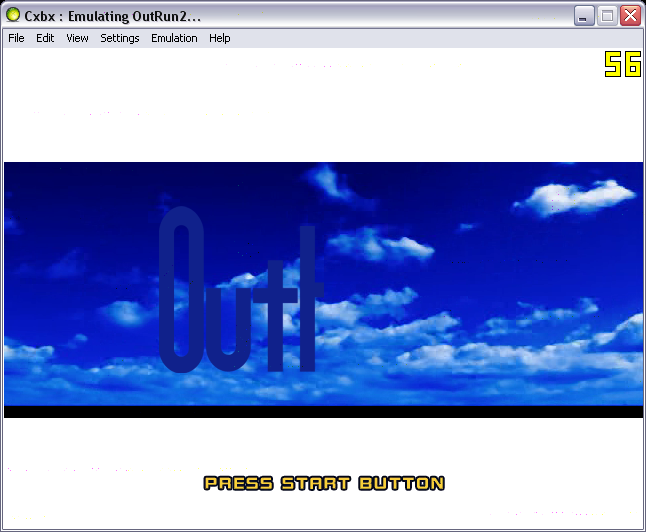
Okay, just a quick update on Outrun 2.  I made a very basic implementation of the XFileMediaObject interface, and guess what?  I've actually gotten it to the menus in just a few hours of extra fixes!  So far, there doesn't appear to be any severe issues, just a few texture related bugs here and there.  Sound and music works too (most of it).  As far as the sound goes, it sounds a bit better in Release mode.

"Nice screens, but what's stopping it from going ingame?"  Okay, what's happening is that it continuously fails to create some random index buffer.  Not sure whats causing the failure, but it keeps returning D3DERR_INVALIDCALL so that could mean all sorts of things, really.  I'll have to investigate this issue more later.  It's really late and I just busted my butt all day for you guys!  I'll sleep on it and see what I can come up with next time.

Shogun

Thursday, September 27, 2012

Outrun 2 Progress


Wait, what?  I haven't updated this blog in a year?  Hm, I can't believe it's been this long...

Well, haven't had anything too interesting to report until now though.  I'll start off by saying this once again... I've had a rather ridiculous amount of requests for Outrun 2 (XDK 5849, the very first title using it [that I know of] that does anything on Cxbx) and various other SEGA titles.  It's not that I'm not interested in these games, it's just that SEGA's Xbox titles are not exactly easy to emulate!  They're ALWAYS problematic in one way or another, therefore they aren't easy to emulate.  Outrun 2 is no exception, but I'll get to that in a minute.  Surprisingly, Outrun 2 is much easier to work with than I originally thought.  It was just a matter of adding missing functionality and fixing a bug or two in the existing implementation(s), and unlike most SEGA titles, the problems are rather easy to identify this time.  Keep in mind, this isn't Outrun 2 SP [DX]; I don't have that version... YET!

"So, what's stopping it from working, and when will this become playable?" Good question(s).  I've determined that it's an audio related issue.  Outrun 2 uses some Xbox exclusive high level code to stream audio.  No one has ever implemented the XMediaFileObject interface or any of it's relatives, so unless I do it myself, it's not going to get done.  There is no PC equivalent so I have to emulate everything myself.  For loading and streaming .wav files (even if they use the Xbox ADPCM codec), emulating this is a piece of cake.  For .wma files and other supported audio files, it may not be as easy (unless I can find some documentation on the file format).  Games like Whacked and Quantum Redshift, I could just leave out the functionality and the game would work fine, but not for Outrun 2, obviously.  So I'll have to take some time out to learn about audio loading/streaming with these APIs and write some test code to verify Cxbx can do it properly.  Good thing I have my handy Debug Xbox sitting next to me. But Lord, where's caustik when you need him??  lol.  So until this is fixed, I can't guarantee this game will be on our playable list in the future.  Don't worry, I'll keep trying!

One more thing, you may have noticed the fluctuation of framerates on those screenshots above.  It's because (like most Japanese titles) the game is using D3DDevice::BlockUntilVerticalBlank() to stall/synchronize threads for audio and other time sensitive threading procedures.  While I support and recommend this approach personally, Cxbx's previous implementation wreaks havoc on the host's CPU usage!  On the console, this is not an issue, but on Windows, this is a problem.  Since DirectDraw is the only way to accurately keep track of vertical blank (via IDirectDraw7::WaitForVerticalBlank), that's what we've been using.  Unfortunately, this causes us problems when used in many different threads and bogs the whole system down.  So instead, I've been using Sleep(1000/60) where 60 is the theoretical refresh rate Cxbx is running at.  I'll add a menu option to switch between the functionality just in case you need one over the other.  But for Outrun 2, it fixed the frame rate issue and should for a few other titles using the same methods.

So, that's all I have to say about Outrun 2 at the moment.  Looking forward to making more progress on this game because it's a rather high priority game for me.  Thanks for reading!

Shogun.